Securing a 3D Print File
Find a model, check its size and permissions, and know when it needs editing.
Where can I find a 3D print file?
3D print files can originate from multiple sources, each with different quality levels, licensing terms, and intended use cases. Understanding these sources helps you make informed decisions about file acquisition.
Online Repositories
Thingiverse, Printables, MyMiniFactory, Thangs — community-driven platforms with free and paid models.
- • Variable quality and printability
- • Check license before commercial use
- • Read user comments for print tips
Manufacturer Files
Official parts, accessories, and replacement components from equipment manufacturers.
- • Generally high quality and tested
- • Often include print settings
- • May have usage restrictions
Commercial Marketplaces
Cults3D, CGTrader, TurboSquid — professional designers selling optimised print-ready models.
- • Usually higher quality assurance
- • Clear commercial licensing
- • Customer support available
Custom Design
CAD software, 3D scanning, or design services for bespoke parts and prototypes.
- • Full control over design intent
- • Optimised for your specific use
- • Requires design skills or budget
KEY POINT
The source of your file directly impacts print success. Repository files may need modification, while manufacturer files are typically print-ready. Always verify file quality before committing time and material.
Should I use STL, 3MF or STEP?
Different file formats preserve different information. Understanding what each format contains helps you choose the right format for your workflow.
| Format | Preserves | Best For |
|---|---|---|
| .STL | Mesh geometry only | Universal compatibility, simple parts |
| .3MF | Geometry + colors + settings | Multi-material, complex assemblies |
| .STEP | Parametric CAD data | Engineering, modification needed |
| .OBJ | Mesh + textures | Visual models, artistic prints |
RECOMMENDATION
Request .3MF when available — it preserves print settings and multi-colour information. Use .STEP if you need to modify the design. Fall back to .STL for maximum compatibility.
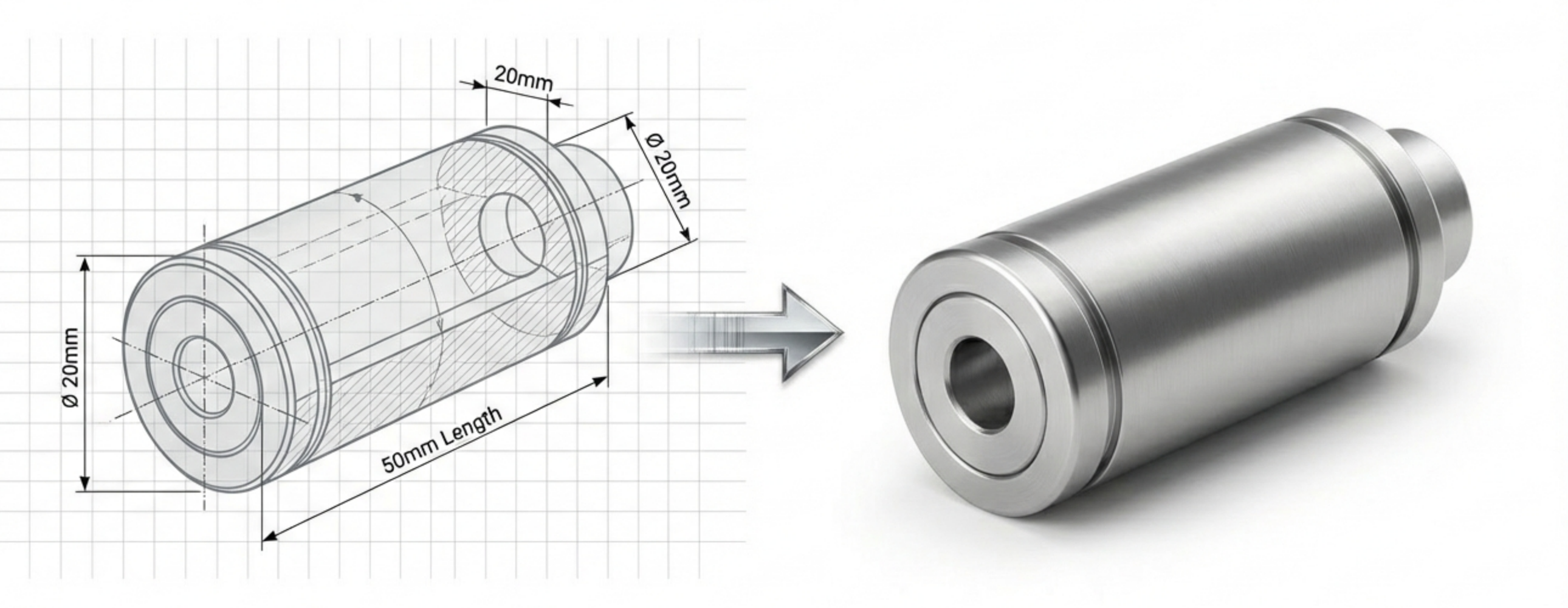
Can I use or sell prints from this model?
Not all "free" files are free to use however you want. Understanding licensing protects you legally and respects creators' rights.
Personal Use
Print for yourself, gifts, or non-commercial projects. Most repository files allow this.
Commercial Use
Selling prints or using in paid projects. Requires explicit commercial license or creator permission.
Attribution Required
Some licenses (CC-BY) require crediting the original designer. Check requirements before publishing.
WARNING
Never assume a file is free for commercial use. Check the license on every file you download. When in doubt, contact the creator directly.
How do I check whether a model will print?
A file that looks good in preview may not print well. Learn to evaluate files before committing to a print.
Mesh Integrity Checklist
- Watertight mesh: No holes or gaps in the surface
- Manifold geometry: Every edge shared by exactly two faces
- Consistent normals: All faces pointing outward
- No self-intersections: Parts don't overlap incorrectly
TOOL TIP
Most slicers will highlight mesh errors. Bambu Studio and OrcaSlicer can auto-repair minor issues. For serious problems, use Microsoft 3D Builder (free) or Meshmixer.
When should I create or edit the model?
When existing files don't meet your needs, you have options for creating custom designs.
CAD Software Options
Beginner-Friendly
- • Tinkercad (free, browser-based)
- • SketchUp (free tier available)
- • Fusion 360 (free for personal use)
Professional
- • SolidWorks (industry standard)
- • Inventor (Autodesk ecosystem)
- • FreeCAD (open source)
3D Scanning
Capture existing objects to create printable files. Options range from smartphone apps (photogrammetry) to professional structured-light scanners. Expect significant cleanup work on scanned meshes.
Design Services
Don't have time to learn CAD? Our design service can create print-ready files from sketches, measurements, or reference objects.
Learn about Design Service →What makes a model suitable for FDM printing?
Designing for FDM requires understanding what the technology can and cannot produce reliably.
Wall Thickness
- Minimum: 0.8mm (2 perimeters with 0.4mm nozzle)
- Recommended: 1.2-1.6mm for structural parts
Overhangs & Bridging
- 45° rule: Overhangs steeper than 45° typically need support
- Bridging: Horizontal spans up to 10-15mm are usually fine
Tolerances
- Clearance fits: 0.2-0.3mm gap for sliding parts
- Press fits: 0.1-0.15mm interference
- Hole sizing: Print slightly undersized and ream to size
KEY_POINTS
- Minimum wall thickness depends on nozzle size
- Design overhangs <45° when possible to avoid supports
- Include tolerances for functional fits
- Test fits with simple test prints before committing to full parts
Learn on your own equipment.
Practise setup, slicing and printing with a trainer.